Introduction
Nobody wakes up one morning and decides to modernize their order management system on a whim. It’s usually a slower realization. The same manual fix showing up in three different postmortems, or a release that should have taken two weeks stretching into two months. By the time most teams start asking “do we need to modernize?” out loud, the honest answer has already been “yes” for a while.
This blog is a diagnostic, not a sales pitch. It’s built for supply chain and IT leaders who already have an OMS in place. This isn’t about whether your business needs order management software for the first time, which is a different question entirely. It’s about recognizing when the system you have has aged past the point where patching it makes sense. Here are the ten signs worth taking seriously, and what each one is actually costing you.
To get a full picture of what OMS Modernization is all about, and why your enterprise might need it, read our guide to OMS Modernization.
What are the ten signs to know your order management systems need modernization?
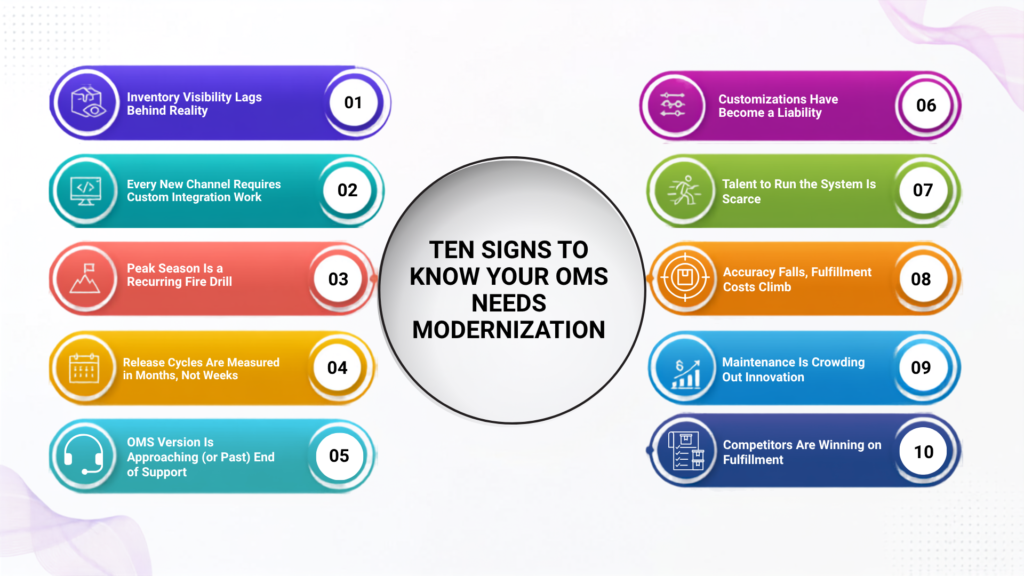
- Inventory Visibility Lags Behind Reality
If your team is manually reconciling stock counts across channels, or your promising logic is working off inventory data that’s hours (or a full batch cycle) old, you’re already paying the tax of an outdated architecture. This isn’t a minor inconvenience, 45% of supply chain executives already flag real-time inventory visibility as a significant operational issue, and the gap only widens as order volume grows.
- Every New Channel Requires Custom Integration Work
A modern OMS should let you plug in a new marketplace, a new carrier, or a new fulfillment partner through standardized APIs. If every channel addition still means weeks of custom point-to-point integration work, your architecture is the bottleneck, not your team.
- Peak Season Is a Recurring Fire Drill
If your team dreads Black Friday or year-end not because of volume but because of system stability, that’s an architecture problem. Systems designed for a fixed capacity ceiling don’t scale gracefully; they degrade under load, and the fix usually involves manual intervention at the worst possible moment.
- Release Cycles Are Measured in Months, Not Weeks
Monolithic architectures tend to couple everything together, so even a small change requires testing the entire system end-to-end. If your team can’t ship a fix or a feature without a multi-month release cycle, you’re not just slow, you’re structurally unable to respond to market changes at the pace your competitors can.
- Your OMS Version Is Approaching (or Past) End of Support
Running an unsupported version doesn’t fail loudly, it fails silently. The failures show in the form of unpatched vulnerabilities, unavailable fixes, and a shrinking pool of people who still know the platform well enough to maintain it. If your vendor has published an end-of-support date for your current version, that date is your real deadline, whether or not it feels urgent yet.
- Your Customizations Have Become a Liability
Heavy customization made sense when it solved a real business problem years ago. But customizations accumulate their own maintenance burden, and many of them exist to work around limitations that a modern version of the same platform now solves natively. If nobody on your current team fully understands why a given customization exists, it’s a sign the system has outgrown its documentation, and your risk with it.
- Finding (or Keeping) Talent to Run the System Is Getting Harder
Legacy, heavily customized systems require specialized institutional knowledge that becomes scarcer every year. If you’re increasingly dependent on one or two people who “know where the bodies are buried,” that’s a business continuity risk as much as a technology one.
- Order Accuracy andFulfillmentCosts Are Trending the Wrong Way
An OMS built for a simpler channel mix often defaults to rigid, rules-based logic for inventory allocation and carrier selection logic that doesn’t adapt as complexity grows. We saw this with a major omnichannel retailer whose store-first allocation logic was driving 8-12% order cancellations along with overstocking, stockouts, and high inter-warehouse transfer costs. Moving to a dynamic, API-first allocation engine brought fulfillment accuracy up 23%, cut cancellations 68%, and lifted inventory turnover 14% all within a 10-week phased rollout.
- IT Spends More Time Maintaining the System Than Improving It
If your technology roadmap keeps getting pushed by “keep the lights on” work, that’s the classic technical debt trap. Industry estimates suggest many enterprises spend 60-80% of their IT budget maintaining legacy infrastructure rather than building new capability on top of it a ratio that only gets worse the longer modernization is deferred.
- Your Competitors Are ShippingFulfillmentExperiences You Can’t Match
BOPIS, ship-from-store, and same-day delivery aren’t differentiators anymore, but baseline expectations. If your OMS can’t support these fulfillment models without heroic manual effort, you’re not just behind on technology; you are behind on the customer experience that technology is supposed to enable.
Data Table: Sign vs. Underlying Root Cause
| Signs You're Seeing | Underlying Root Cause |
|---|---|
|
Inventory mismatches across channels |
Batch-based synchronization, siloed systems, and lack of real-time inventory visibility |
|
Slow onboarding of new channels and partners |
Point-to-point integrations and absence of API-first, composable architecture |
|
Peak-season performance issues |
Limited scalability, rigid infrastructure, and systems designed for fixed transaction volumes |
|
Long release and deployment cycles |
Monolithic architecture with tightly coupled components and complex testing dependencies |
|
Running an unsupported OMS version |
Technical debt accumulation, security risks, and dependence on obsolete platform versions |
|
Excessive customizations to maintain |
Years of workaround-driven development and excessive platform customization |
|
Dependence on a few key experts |
Reliance on niche legacy skills and undocumented institutional knowledge |
|
Rising fulfillment errors and costs |
Static allocation logic, limited optimization capabilities, and inability to adapt to omnichannel complexity |
|
IT focused on maintenance over innovation |
High maintenance burden caused by aging infrastructure and accumulated technical debt |
|
Falling behind fulfillment expectations |
OMS lacks modern fulfillment orchestration capabilities and flexibility to support evolving customer expectations |
Recognizing the Signs of OMS Modernization Needs
The ten signs above rarely show up one at a time, and they rarely announce themselves clearly. They show up as workarounds your team has quietly normalized. Recognizing the pattern early is what separates a planned, controlled modernization from a reactive scramble triggered by a peak-season outage or a vendor support cutoff you didn’t see coming.
If you want a second set of eyes on where your current system stands, our order management consulting team at Acuver Consulting, has spent over a decade helping enterprises make exactly this call. As specialists in supply chain transformation, we deliver end-to-end solutions across order management, warehouse management and software engineering solutions. From modernization initiatives and platform upgrades to intelligent, future-ready architectures, we’ve helped organizations improve agility, enhance operational efficiency, and build the foundation for long-term growth.
What’s the sign that’s been hardest to ignore on your team lately? Connect with our team of experts and we’ll guide you towards the right solution.