Introduction
Architecture decisions are easy to defer because they don’t feel as urgent as picking a vendor or setting a budget. But architecture is the decision that quietly outlives every other choice you make during modernization. This is what determines whether adding your next sales channel takes two weeks or two quarters, three years from now.
This is part of our complete guide to Order Management System Modernization. If you’re still deciding between modernizing, replatforming, or replacing your OMS, see Modernize, Replatform, or Replace? Choosing Your OMS Modernization Strategy first.
This blog walks through the three deployment models available to a modernizing OMS: cloud-native, hybrid, and on-premise. It also delves into how to match the choice to your business’s actual constraints, not just industry momentum. It also covers what “composable” and “API-first” mean in practice, since those design principles matter as much as the deployment location itself.
What Are the Three OMS Deployment Architectures?
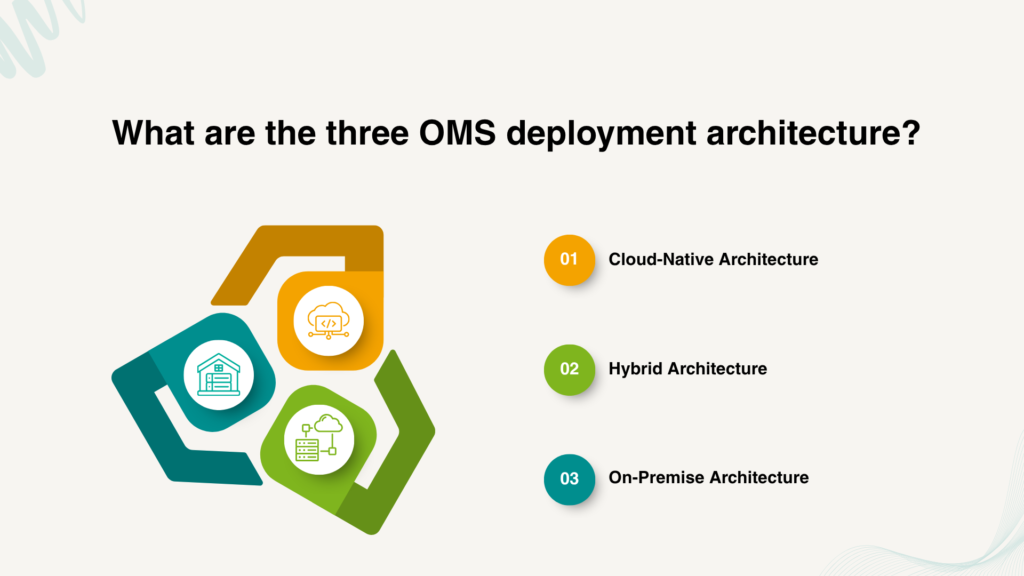
Cloud-Native Architecture
A cloud-native OMS runs entirely on cloud infrastructure, typically built on microservices that scale independently based on demand. This is the architecture most enterprises are moving toward. Cloud already represents roughly 72% of the multichannel order management software market, according to Fortune Business Insights. This share keeps growing as more platforms build cloud-first rather than retrofitting cloud support onto older code.
The core advantage is elasticity: capacity scales up automatically during peak demand and back down when it’s not needed, so you’re not sizing infrastructure for your worst day of the year and paying for it the other 360 days.
Hybrid Architecture
A hybrid OMS keeps certain components often core transaction processing or systems tied to sensitive data: on-premise, while running other functions, like customer-facing order status or analytics, in the cloud. This isn’t a “not ready for cloud yet” compromise; it’s frequently the right permanent architecture for businesses with regulatory data residency requirements, deep legacy ERP integrations that aren’t cloud-ready, or latency-sensitive operations tied to physical fulfilment infrastructure.
On-Premise Architecture
On-premise deployment keeps the entire OMS running on infrastructure you own and manage directly. This is increasingly the minority choice for new modernization initiatives, but it remains the right fit for organizations with strict regulatory constraints, extremely high customization needs that cloud platforms don’t yet support, or existing capital investment in data center infrastructure that hasn’t been depreciated.
Comparison Table: Cloud-Native vs. Hybrid vs. On-Premise
| Factor | Cloud-Native | Hybrid | On-Premise |
|---|---|---|---|
|
Scalability during peak demand |
Auto-scales elastically |
Scales for cloud components only |
Manual capacity planning required |
|
Infrastructure cost model |
Pay-for-use, variable |
Mixed capital and operating cost |
Primarily capital expenditure |
|
Data residency/control |
Vendor-managed |
Sensitive data kept on-prem |
Full control |
|
Best fit when… |
No strict data residency constraints; want elasticity |
Regulatory or legacy-integration constraints exist |
Heavy customization or unamortized infrastructure investment |
|
Integration with new channels |
Fastest, API-first by design |
Faster for cloud components, slower for on-prem-tied ones |
Slowest, typically custom-built |
What's the Difference Between Deployment Architecture and Application Architecture?
One of the most common misconceptions in OMS modernization is treating deployment architecture and application architecture as the same thing. In reality, they solve two different problems.
Deployment architecture determines where the OMS runs; whether in the cloud, on-premise, or across a hybrid environment. Application architecture determines how the OMS is built whether as a monolithic system or as a collection of independent, API-connected services.
This distinction matters because moving an OMS to the cloud does not automatically make it more scalable, flexible, or easier to integrate. A monolithic OMS hosted in the cloud can still be difficult to modify and expand. Conversely, an OMS running in a hybrid environment can remain highly adaptable if it is built using modular, API-driven components.
As enterprises evaluate cloud-native, hybrid, and on-premise deployment models, it’s equally important to consider the architectural principles that will shape the OMS’s long-term agility. This is where concepts like composability and API-first design become critical. They determine how easily the platform can evolve as business requirements, sales channels, and customer expectations change.
Why Does Composable, API-First Design Matter More Than the Deployment Model?
What Is Composable Architecture?
Composable architecture breaks an OMS into independent, interchangeable components like, inventory management, order orchestration, allocation logic, carrier selection, each exposed through APIs rather than bundled into a single monolithic codebase. The practical benefit is that you can upgrade, replace, or scale one component without touching the others.
How Does This Change What Modernization Actually Delivers?
A cloud-native deployment of a monolithic architecture still inherits the monolith’s core limitation: everything is coupled together, so a small change still requires testing and deploying the whole system. Composable, microservices-based design is what actually delivers the agility enterprises are modernizing for the ability to add a marketplace integration, swap a carrier selection engine, or scale one high-traffic function independently, without a full-system release cycle.
We saw the practical impact of this distinction with a large Indian fashion retailer operating 3,000-plus stores and 40 warehouses across ten-plus marketplace integrations. Moving to a containerized, auto-scalable architecture took their inventory processing capacity from 25 lakh to 80 lakh-plus records per day, cut deployment time from 40 minutes to 10, and reduced downtime from 30 minutes to 5 — reaching 99.99% uptime in the process. None of that came from simply moving to the cloud; it came from the underlying architecture becoming modular enough to scale each piece independently.
How Do You Choose the Right Architecture for Your Business?
What Questions Should Guide This Decision?
Start with constraints, not preferences. The mistake most teams make is starting from “what’s trending” instead of “what our constraints actually require.” Work through these questions honestly, and the right model usually becomes obvious:
- Do you have a regulatory requirement dictating where data physically lives? A healthcare or financial services business operating in the EU, for instance, may be legally required to keep customer and transaction data within specific borders. This rules out a fully cloud-native model unless the vendor offers region-locked infrastructure, and often points toward hybrid instead.
- Is your core ERP or warehouse system deeply tied to on-premise infrastructure that isn’t cloud-ready yet? A manufacturer running a decades-old ERP with custom, on-prem integrations may not be able to move order orchestration to the cloud without breaking those connections. In this case, hybrid lets you modernize the customer-facing and analytics layers now while leaving the ERP-tied core in place until that system is ready to move too.
- How much unplanned demand volatility does your business actually experience? A retailer that does 40% of annual revenue in a six-week holiday window has very different infrastructure needs than a B2B distributor with flat, predictable order volume year-round. The retailer gains real, measurable value from cloud-native’s auto-scaling; the distributor may be paying for elasticity it rarely uses, and could be better served by on-premise or hybrid instead.
The answers to these three questions usually converge clearly on one of the three models. If they don’t — if, say, you have a regulatory constraint but also unpredictable demand — that tension is itself useful information: it usually means hybrid, letting you scale the components that need it while keeping the constrained ones anchored.
How Do You Avoid Locking Yourself Into the Wrong Architecture?
Plan for the Architecture Decision You’ll Face for the Next Years, Not Just This One
Architecture decisions age faster than most teams expect, particularly as order volume, channel count, and regulatory requirements shift. The safest hedge is prioritizing composable, API-first design regardless of which deployment model you choose. A well-designed hybrid architecture with cleanly separated components can migrate individual pieces to full cloud-native later without a wholesale rebuild. A monolithic architecture, on the other hand, locks you into a much larger re-platforming project no matter which deployment model it started on.
Watch for Vendor Lock-In Disguised as Convenience
Some platforms market proprietary integration methods as a modernization shortcut, but they can quietly recreate the same coupling problem you’re trying to escape, just with a cloud bill attached. Favor platforms and implementation partners that build to open, standardized APIs rather than proprietary connectors, so your architecture stays portable if your needs change again.
Choosing the Right Architecture for OMS Modernization
Architecture is the modernization decision with the longest tail. It’s what determines whether your OMS can absorb the next five years of channel growth or needs another modernization project in eighteen months. Match the deployment model to your actual constraints, prioritize composable and API-first design regardless of which model you choose, and resist the pull toward whichever option is trending in vendor marketing.
This is also a decision that’s genuinely hard to unwind once infrastructure and integrations are built around it, which is why it’s worth getting an outside perspective before committing. At Acuver, we have helped enterprises implement all three models — from cloud-native deployments built for elastic peak-season scaling, to hybrid architectures that keep regulated or legacy-tied data on-premise while modernizing everything else around it. Because we work across order management, warehouse management, and software engineering rather than pushing a single deployment model, our recommendations start from your constraints, not from which architecture we’re best positioned to sell.
Once your architecture direction is set, the next piece of the puzzle is usually budget: what the move will cost and how to make the case for it.
Which of the three constraints: regulatory, legacy integration, or demand volatility, is shaping your architecture decision most right now? Connect with our team of experts for a guided solution.