Introduction
Ask any IT leader who has run an enterprise OMS modernization project what actually went wrong, and the answer is rarely “the technology didn’t work.” It’s usually something closer to: the warehouse team wasn’t trained on the new exception-handling workflow before cutover, or customer service found out about a change in order status behavior from an angry customer instead of from IT.
This is the final piece of our complete guide to Order Management System Modernization — covering the workstream most technical project plans underweight.
Change management for OMS modernization isn’t a soft add-on to the technical project plan — it’s the difference between a system that works in production and a system that works in production and that your organization actually trusts and uses correctly. This guide covers how to manage that people side deliberately, instead of hoping it takes care of itself.
Why Does Change Management Matter for OMS Modernization Specifically?
The Data Behind the Claim
Research from change management firm Prosci, based on over 2,600 change practitioners, found that projects with excellent change management were roughly seven times more likely to meet their objectives than those with poor change management — 88% versus 13%. Even applying just fair change management practices produced a threefold improvement in outcomes compared to poor practices. That gap is too large to treat as a nice-to-have.
Why OMS Specifically Is High-Risk for Change Fatigue
An order management system sits at the intersection of more teams than almost any other enterprise platform: warehouse operations, customer service, finance, IT, and often store staff for omnichannel fulfillment. A modernization project touches all of their daily workflows simultaneously, which means the blast radius of poor change management is wider here than for a more contained system change.
Compare this to something like a CRM migration, where the disruption is largely contained to sales and marketing. An OMS transition is different in kind, not just scale: a single allocation logic change can simultaneously alter what a warehouse picker sees on their screen, what a customer service rep tells a caller about delivery dates, what finance recognizes as revenue, and what a store associate promises at checkout for a buy-online-pickup-in-store order. When five different teams are adjusting to change at once, with five different tolerances for disruption and five different escalation paths, the odds of something falling through the cracks multiply fast — and the team that discovers the gap is rarely the one that caused it.
Who Needs to Be Managed Through OMS Modernization, and How?
Managing IT and Engineering Teams Through the Transition
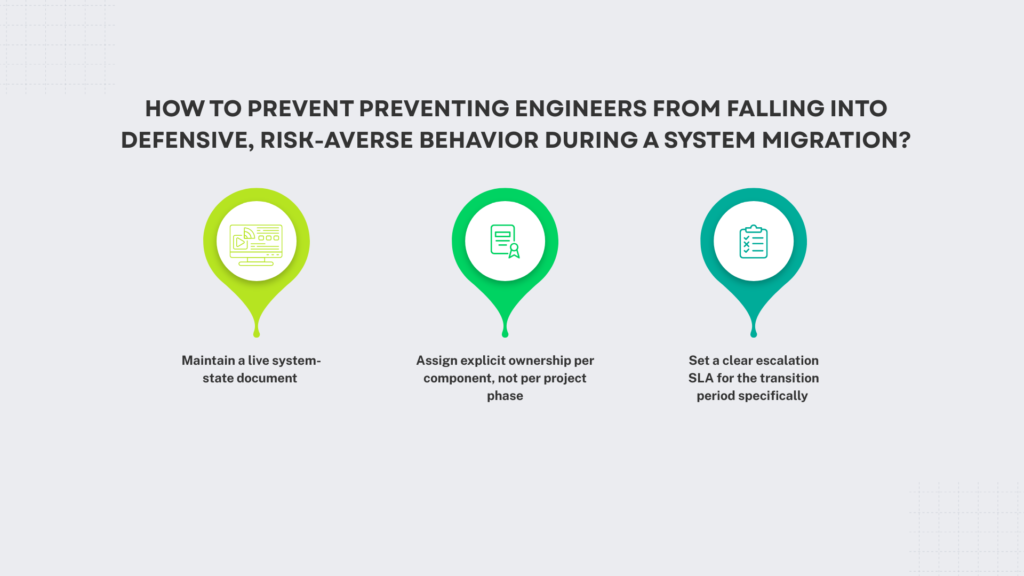
Your technical team needs clarity on what’s changing under the hood and, just as importantly, what isn’t. Engineers who are asked to support a system mid-migration without a clear map of what’s stable and what’s in flux will make defensive, risk-averse decisions that slow the project down — delaying unrelated fixes out of caution, over-escalating minor issues, or quietly building workarounds instead of raising concerns because they’re not sure who owns the decision anymore.
Concrete steps that prevent this:
- Maintain a live system-state document — not a one-time architecture diagram, but something updated weekly showing which components are legacy, which are migrated, and which are mid-transition. Ambiguity here is what triggers defensive behavior.
- Assign explicit ownership per component, not per project phase. If allocation logic breaks during week six of a twelve-week migration, there should be no question about who gets paged.
- Set a clear escalation SLA for the transition period specifically — often tighter than your normal incident response process, since issues during migration compound faster than issues in a stable system.
Managing Operations and Fulfillment Staff
This is the group most affected by day-to-day workflow changes, new exception-handling screens, different allocation logic, altered order status definitions. Unlike IT, they don’t have the context to infer what a strange new screen means from first principles; they need it explained, and they need to have already made the mistakes safely before the system goes live for real.
What actually works in practice:
Train before cutover, not during it, and make it hands-on. A recorded walkthrough or slide deck doesn’t build the muscle memory needed to handle an angry customer’s order exception at 8am on go-live day.
Run the new system in parallel or in a sandbox long enough for staff to make real mistakes on fake orders — ideally covering at least one full operational cycle (a weekly demand pattern, a return-processing batch) rather than just a few isolated test transactions.
Identify and train floor-level champions — experienced staff who become the first line of “how do I do X now” questions, reducing the load on your project team and giving peers a faster answer than a support ticket.
Expect a temporary productivity dip immediately after cutover, even with good training, and staff appropriately for it rather than treating week one performance as a sign the rollout failed.
Managing Customer-Facing Teams
Customer service and store staff are the ones who absorb the consequences when something doesn’t go smoothly, often without warning — a customer calls asking why their order status hasn’t updated, and the rep has no idea a migration is even happening behind the scenes unless someone told them.
What reduces the damage:
Give them a plain-language summary of what’s changing from the customer’s perspective — specifically, how order status messaging might look or update differently, and what to say if a promised delivery date shifts during the transition window. Technical accuracy matters less here than consistent, confident customer-facing language.
Set up a direct escalation line to the project team during the cutover window itself — not the standard IT ticket queue, which may not treat a migration-related issue as urgent, but a dedicated channel (a Slack channel, a hotline, a named contact) that’s live only during the highest-risk period.
Brief them on the two or three most likely failure modes in advance — if you know allocation logic is the riskiest component, tell customer service what an allocation error looks like from a customer’s perspective before it happens, not after the first complaint comes in.
Debrief within 48 hours of any cutover-related incident while the details are fresh, so patterns get caught and fixed before they repeat with the next batch of customers.
How Should You Structure Communication During OMS Modernization Cutover?
Borrow the Discipline of Technical Peak-Season Protection
Enterprises running IBM Sterling OMS migrations to cloud infrastructure use a specific set of technical safeguards during cutover: a change freeze calendar, a full rehearsal of the cutover sequence, testing at real peak volume, and a validated rollback plan. Apply the same discipline to your communication plan. Set a communication freeze window so people aren’t getting conflicting updates in the final 48 hours, rehearse who says what to whom if something goes wrong, and make sure every affected team knows the rollback plan exists and what it would mean for them.
What Should a Communication Timeline Look Like?
Start broad awareness communication at least a month before cutover, move to role-specific training two to three weeks out, and run a final operational readiness check in the week before go-live that confirms every affected team has completed training and knows their escalation path. Teams that compress this timeline under schedule pressure are the ones most likely to see the operational disruption that erodes trust in the new system during its first critical weeks.
What Does Good Change Management Actually Look Like in Practice?
Give It a Budget and an Owner
The organizations that handle this well don’t fold change management into the technical project manager’s already-full plate. They assign a dedicated owner — sometimes from HR or internal communications, sometimes a senior operations leader — with real budget for training materials, sandbox environments, and communication.
Measure Adoption, Not Just Go-Live
A successful cutover date isn’t the finish line. Track how quickly and correctly staff are actually using new workflows in the weeks after go-live — support ticket volume from confused users, time spent in legacy-workaround habits, or error rates in the new exception-handling process are all early indicators of whether the change management effort actually worked, separate from whether the technology itself is stable.
Managing the People Side of OMS Modernization Successfully
The technology decisions in OMS modernization — strategy, architecture, and budget — get most of the planning attention, but the people side is what determines whether all of that investment actually pays off in production. Treat change management as a workstream with its own owner and budget, communicate on a deliberate timeline, and measure adoption after go-live, not just whether the cutover happened on schedule.
Once your new system is live and adopted, the work shifts to ongoing optimization — our guide to managed services and agentic AI for IBM Sterling OMS covers what that next phase should look like. And if you’re still earlier in the process, our order management consulting team at Acuver has helped enterprises manage both the technology and the people side of modernization for over a decade. Which team on your side is going to need the most support through this transition — operations, IT, or customer-facing staff? Discuss it with our team of experts.